Thursday, June 17, 2010

Javascript Math Functions and Calculator Fun

It's been a few years since I have had to perform any real engineering work. As a senior member of a management consulting firm, my days seem to be focused on business development and project management. However, my wife recently requested some assistance to help develop a special feature for her blog site that got my coding juices flowing again.

My wife has an interest in health, wellness and fitness, and follows the point-counting process for tracking meals. She has used a spreadsheet version of a 'points calculator' and an on line PHP version that we found on a dedicated website, but she wanted a calculator that would be easily accessible to her website visitors. That was my clue to get involved.

With my engineering education and work experience, the majority of my programming experience has been in FORTRAN and machine code. Although I have also had the opportunity to dabble in a number of other languages over the past 30 years. Wanting to make the points calculator an easy plug-in for any blog hosting service that she would ever use, I knew that I would have to code something that could be called from HTML, or just go straight to Javascript and keep the code right within the web page.

I believe that Javascript offers many advantages for a number of typical website functions. There have been security concerns, especially with computers using the Microsoft Windows operating system, but those issues can normally be managed by keeping the operating system up-to-date and using current virus and malware protection; a practice that most computer users follow. Javascript security issues typically do not concern OS X or Linux users. Therefore, Javascript seemed to be the answer to my language question.

The points formula is often cited to follow this convention: Points = Calories / 50 + Fat Grams / 12 - Fiber Grams / 5, where Fiber Grams cannot be greater than 4. Simple enough calculation. The Javascript Math functions were only required to accommodate the Fiber Gram restriction and to round the final answer to one decimal position. Now the only trick was to pass the data between HTML and the Javascript routine.

I decided that the easiest way to accomplish the task was to use the HTML Form Tag, passing the input to a Javascript routine for processing. I was concerned about user input error, so I spent some extra time to code validation routines to make certain that the numeric fields are not blank or filled with non-numeric characters. An incorrect entry will open a dialog box with a warning message and highlight the entry field in error.

I was not familiar with performing more advanced math operations in Javascript. Fortunately, there are many fine sources found online to help educate me. One of my favorite resources for HTML, CSS and Javascript assistance is w3schools.com. Here I found a good introduction to the Javascript Math Object.

Without boring you with a narrative of the coding trial and error, the final version of the calculator, complete with the HTML for the Form, is presented below. The working version can be found at pointsinmylife.com. Forgive me for the use of Tables in the Form, but I found them to be the most effective method to get consistent presentation format results across different browsers.

<script type="text/javascript">
function Calculate(calories, fat, fiber, form)
{
if (form.calories.value == "" || isNaN(form.calories.value)) {
alert( "Please enter a valid number for Calories." );
form.calories.focus();
return false ;
}
if (form.fat.value == "" || isNaN(form.fat.value)) {
alert( "Please enter a valid number for Fat Grams." );
form.fat.focus();
return false ;
}
if (form.fiber.value == "" || isNaN(form.fiber.value)) {
alert( "Please enter a valid number for Fiber Grams." );
form.fiber.focus();
return false ;
}
var A = parseFloat(calories);
var B = parseFloat(fat);
var C = parseFloat(fiber);
form.points.value = Math.round (((A / 50) + (B / 12) - (Math.min(C,4) / 5)) * 10) / 10;
}
function ClearForm(form)
{
form.calories.value = "";
form.fat.value = "";
form.fiber.value = "";
form.points.value = "";
}
</script>
<form method="post">
<table>
<tr colspan="2">
<td width="80%">
Enter Calories:
</td>
<td width="20%" align="right">
<input type="TEXT" name="calories" size="3" />
</td>
</tr>
<tr colspan="2">
<td width="80%">
Enter Fat Grams:
</td>
<td width="20%" align="right">
<input type="TEXT" name="fat" size="3" />
</td>
</tr>
<tr colspan="2">
<td width="80%">
Enter Fiber Grams:
</td>
<td width="20%" align="right">
<input type="TEXT" name="fiber" size="3" />
</td>
</tr>
<tr colspan="2">
<td width="80%">
Calculated Points:
</td>
<td width="20%" align="right">
<input type="TEXT" name="points" size="3" readonly style="border: none; font-weight: bold; color: #990000; background: #99bb55;" />
</td>
</tr>
<tr colspan="2">
<td width="80%">
<input type="button" value="Clear Fields" name="ClearButton" onclick="ClearForm(this.form)" />
</td>
<td width="20%" align="right">
<input type="button" value="Calculate" name="CalculateButton" onclick="return Calculate(this.form.calories.value, this.form.fat.value, this.form.fiber.value, this.form);" />
</td>
</tr>
</table>
</form>
<br />

Sunday, May 23, 2010

Mac Magic Mouse Performance Problems - Resolved!


We love our Mac Pro. It's getting a little dated (2006 vintage), but over time we have upgraded the OS X operating system, graphics card, monitors, and added a bunch of hard drive capacity and memory. It remains a real screamer that can get some processor intensive video and graphics work done in a very quick and impressive manner.

Our one complaint was with the Apple bluetooth wireless keyboard and Mighty Mouse. Ordered as original equipment, the devices never seemed to operate like we expected they would. The keyboard would occasionally miss keystrokes and the mouse would operate the pointer rather erratically. Since the Mac Pro sits directly under the desk and mere inches away from the mouse and keyboard, we knew that signal strength was likely not a problem, so we chalked it up to some kind of local bluetooth interference. We tried hard to eliminate any sources of stray signals, uninstalled and reinstalled the devices, cleared the PRAM and NVRAM... just about everything that we could think of to resolve the problem. After months of attempting to use the wireless keyboard and mouse, we came to the conclusion that the problem was somehow associated with our home office environment and finally gave-up and purchased the Apple USB wired equivalents. As you might expect, the wired keyboard and Might Mouse worked flawlessly, but kept us tethered to the Mac Pro. We were disappointed, but productive nonetheless.


Then several months ago, Apple introduced the Magic Mouse. Being familiar with the benefits of multitouch from it's use on our MacBook Air and iPhone, we were very excited and intrigued about using that kind of function on the Mac Pro. However, I was reluctant to purchase the device because of the previous problems experienced with the bluetooth wireless keyboard and Mighty Mouse. With a leap of faith, we placed our order with Apple.

For the first few months, the Magic Mouse worked as promised. We were relieved. It is a great input device and we highly recommend it for anyone with a Mac using OS X. But then it happened...

After recently upgrading our dual monitor display, we began to experience performance problems with the Magic Mouse. It was behaving just like the old bluetooth Mighty Mouse did with sluggish and erratic pointer movement. Apparently, the new monitors were causing some kind of interference with the bluetooth signal. Facing the prospect of switching back to the wired Mighty Mouse, we decided to do some additional research.

After scouring Google search results on several different keywords, we came across a forum post on thelocale.org. The writer had experienced similar problems with their Mac Pro, and had discovered that the bluetooth and internal Airport module had been wired incorrectly upon initial assembly at the Apple factory.

Carefully following the instructions provided in the forum post (and also available here in a nice and clean PDF format), we re-wired the bluetooth and Airport modules and PRESTO! The Mac Pro's bluetooth performance problems were immediately resolved. Now the Magic Mouse works perfectly with no problems of slow or erratic pointer movement.

We take no credit for determining the problem, but wanted to re-post the solution on this blog in the event that it might help anyone else who is having a similar problem. Our sincere thanks to thelocale.org user rectangular@gmail.com for publishing the orignal solution.

Sunday, May 9, 2010

A Spiritual Reflection on Mother's Day

[My wife was asked to prepare comments for a reflection on Mother's Day to be shared with the congregation at the Sunday morning mass at the Saint Francis of Assisi parish on Sunday, May 9, 2010. With her permission, I am sharing her Mother's Day speech with you here. The following blog post generally reflects her comments from that event.]

When Father Charlie asked me to speak today, one of my first responses was, “Well, do you have anyone else in mind?” almost hoping he would say, “Yes, never mind.” But he didn’t. He gave me time to think about it and realize that sometimes you just can’t grow unless you break out of your comfort zone.

As I began to reflect on this day, I was at a loss on what I would say. Mary, the mother of Jesus, was the first person I thought of and I began praying, drawing strength from her. She is the one who all of us Mothers would love to emulate as being that perfect nurturing and loving mother to our own children.

My Grandmother was the second person I prayed to for guidance and wisdom. In my opinion my Grandmother was as close to being a saint as you could possibly get, raising nine children of her own, helping to raise several grandchildren and lovingly caring for any baby or child that needed her. My grandmother loved children. She was always full of love, kindness and that special homemade remedy that could cure almost any ailment.

Then there is my mother, who is pretty much a saint herself for having all of us five children by the time she was 26. With three brothers only a year apart and my sister and I only two years apart, we’re still not sure how she managed to get us all raised while keeping her sanity intact.

My husband and I have been blessed with three wonderful children of our own who are 19, 16, and 13. We were also fortunate enough to foster and love six newborn babies at different times and are sure that their adoptive mother’s are having a very blessed Mother's Day as well.

In today’s gospel as Jesus continues His teachings to his disciples, He speaks to them, sharing His wisdom and love while He is still among them. He reveals His love for them and lets them know that when He is no longer with them, God will send the Holy Spirit to them, and the Holy Spirit will help guide them and remind them of all Jesus had taught them.

My husband and I often remind our own children to pray and listen to the Holy Spirit when they are unsure of what to do, or conflicted with any situation where they need guidance to help them make the right call.

One of the things I have learned is that what we say and do as Mothers reveals who we are and ultimately who our children are and will become. This becomes more visible through the years when you discover that your children have taught us nearly as much as we taught them. From our children we learned to have a little more patience, a lot more compassion and understanding and the necessary ability to pick our battles carefully. As in most families, there are... and always will be a few trying times here and there. Some worse than others and some that might even shake up your faith a bit. In those times you pray that the Holy Spirit shows you the way. In most cases, throughout a lot of different times in your life, the Holy Spirit will show you, through your children's faith, that God is always there. When you see the Holy Spirit working through your children, it increases your own faith a hundred times. It can be through your son, who after making his First Reconciliation, walks back to the pew while looking over at you with the biggest smile and giving you two thumbs up. Or it can be in a simple car ride, running your daughter to yet another dance class and seeing her in the rear view mirror, making the sign of the cross as we pass the big Crucifix on Telegraph Road... every time we pass it. And faith shows itself in even your oldest child who calls from college and through conversation you discover that even though she no longer lives at home, she is still saying her prayers. Over the course of the last 19 years, through my kids, I have learned that not only their faith has grown stronger but my faith has endured, slipping occasionally during our struggles, but increasing with greater strength through the examples of not only what I have shown to my children, but through the examples of what they have shown to me.

I pray we follow Mary’s example of loving and caring for our children so much that they can grow and reveal who they are and will become.

I want to wish all the Mother’s here a very Blessed Mother's Day... as well as my own Mother because who I am or hope to be, I owe to her.

Sunday, March 7, 2010

Verizon FiOS and an Apple Airport Extreme Network Working Together


[Editor's Note: This blog post is one of our most popular and it has prompted many excellent questions from interested readers. Please take the time to read through the comments at the end of this posting as the additional information may be very useful in your own efforts.]


Patience does have its rewards. After waiting years for Verizon's FiOS ("Fiber Optic Service") to become available in our area, we have recently been able to finally rid ourselves of various combinations of DSL ("Digital Subscriber Line"), cable, and satellite television services. Our FiOS service has been installed for several weeks; long enough for me to declare it a far superior television and Internet service than anything we have used in the past.


Internet speeds have been amazingly fast and rock-solid, especially when compared to the time-of-day variability we experienced with cable. We subscribe to Verizon's 25/15 Internet service, which is supposed to provide approximately 25 Mbps download and 15 Mbps upload speeds. According to the results from Speedtest.net, our actual speeds over the past few months have been closer to 25.94 Mbps download and 14.16 Mbps upload. That's close enough to advertised for me, and incredibly faster than what was supposed to be provided by the Comcast Blast service previously installed (16 Mbps download and 2 Mbps upload advertised speeds... but rarely, if ever, achieved).


The FiOS 25/15 service includes the use of an Actiontec MI424WR wireless broadband router. The use of this router is not optional. This device is the fiber modem (actually, coax cable from the fiber interface outside of the house to the modem inside of the house) and it is required to manage the distribution of the FiOS television signal to the set-top boxes at your location. The router has four (4) Ethernet outputs as well as Wi-Fi capability. However, the wireless function of the router is not needed if you prefer to use another device to provide a Wi-Fi access point.


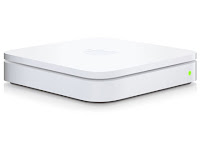
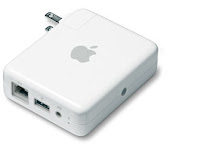
We use an Apple Airport Extreme base station in our home to provide wireless Internet access for notebook computers and other devices (i.e. Nintendo Wii, iPod Touch, iPhone and AppleTV). The Apple wireless network is extended throughout the house and is also used for wireless access to physically distributed printers via a WDS ("Wireless Distribution System") configuration using a pair of Apple Airport Express devices.


With no desire to give-up the Apple wireless network, we chose to ignore the wireless capability of the FiOS router. That can be done simply enough by just connecting the Ethernet input of the Airport Extreme to one of the MI424WR's Ethernet outputs. That by itself will have you up and running as soon as the FiOS service has been activated, although it does not address the potential wireless interference between the Airport Extreme and the MI424WR or the assignment of your network's IP ("Internet Protocol") addresses to the 192.168.1.xxx range used by the MI424WR by default.

We found that deactivating the MI424WR's wireless capability and reassigning the network IP addresses to Apple's familiar 10.0.1.xxx range was easy enough, but admittedly a bit confusing if you are not familiar with changing router attributes. With the following instructions, anyone should be able to complete this task in just a few minutes time. It's as simple as 1-2-3.


1) Log-in to the MI424WR router as the administrator.

Using a computer that is connected to the local network, direct your web browser to the MI424WR's default administrator log-on screen at http://192.168.1.1

The default User Name is admin and the Password is typically either password or password1 (depending upon the Verizon technician that set-up the device).

This will bring you to the overview screen. Don't be overwhelmed by all of the information that is displayed. You do not need to be concerned with it to make the following changes.


2) Deactivate the MI424WR's Wi-Fi radio.

Click on the Wireless Settings icon in the banner menu, then click on Basic Security Settings from the vertical menu on the left-hand side of the page. This will display the Basic Security Settings dialog.


In the first section of the Basic Security Settings dialog, you have the choice of turning the wireless radio on or off. Click on the Off button and scroll to the bottom of the page and select Apply.

This will disable the wireless access point and prevent the MI424WR's Wi-Fi radio from interfering with the Apple Airport Extreme's signal.


3) Change the network's IP addresses to the 10.0.1.xxx range.

Click on the My Network icon in the banner menu, then click on Network Connections from the vertical menu on the left-hand side of the page. This will display the Network Connections dialog.

Click the active hyperlink for Network (Home/Office) at the top of the table in the Network Connections dialog. This will display the Network (Home/Office) Properties dialog. Click on the Settings button at the bottom on this dialog. This will display a more detailed Network (Home/Office) dialog.


Change the IP Address of the router to your choice (e.g. 10.0.1.1), and change the Start IP Address and End IP Address to your choices (e.g. 10.0.1.2 and 10.0.1.254 respectively). Do not change any other entries in this dialog. Scroll to the bottom of the page and select Apply.

Click on Logout from the vertical menu on the left-hand side of the page to exit the router administration session.


If you ever need to access the router's administrator application again, you will need to use the router address you assigned in the steps above (e.g. http://10.0.1.1).

After you have finished making these changes and logged-out of the administrator session, you will need to reboot all of the devices connected to your Apple wireless network and to the MI424WR, including the set-top boxes. This step is required to make certain that the correct IP addresses are assigned to each of the devices.


That's it! After following these steps, your Verizon FiOS service will work flawlessly with your Apple wireless network; there will be no wireless interference from the MI424WR Wi-Fi access point and your network IP addresses will be reassigned to the familiar 10.0.1.xxx range.

Saturday, January 23, 2010

My Ford Escape Hybrid Brake Repair Experience - The Brakes Broke the Bank!


[Editor's Note: An update to this blog post is available Here.]

I have owned my 2005 Ford Escape Hybrid since the autumn of 2004. It was one of the first few Escape Hybrids that were made available in the Washington DC metropolitan area and I was very excited to take delivery. As a long-distance commuter from Northern Virginia into the District of Columbia, owning a hybrid electric vehicle ("HEV") provides certain advantages to those of us who travel on Interstate Highway 95 / 395 each day. You see, the Virginia General Assembly approved a limited exemption for HEVs to use the high occupancy vehicle ("HOV") lanes as a single-driver for the morning and evening commutes. That perk saves me hundreds of commuting hours a year, and the fuel economy savings are an added bonus.


Except for the extremely uncomfortable seats, I have really enjoyed owning this vehicle. The Escape Hybrid has been virtually trouble free after more than 100,000 miles. Seriously. Other than regular oil changes, a set of tires, a battery, and a couple of sets of windshield wipers, there have been no major maintenance costs. That is until now...


A job change during the last year has allowed me to work from home on most days, so the first 100,000 miles were all in the initial four years that I have owned the Escape. It may come as no surprise that not long after breaking through the warranty threshold (3 years or 36,000 miles) I experienced an unusual problem with the brakes. In what seemed to be a very random circumstance, the yellow ABS and the red brake warning lamp lit and the alarm sounded. The brakes reverted to fail safe mode requiring a "pedal to the floor" effort to slow the vehicle to a safe stop at the side of the road. Not exactly comforting. Interestingly, after shutting-off the vehicle and restarting, the brakes returned to normal operation.


A talk with the Ford service manger revealed nothing. The problem did not happen again and the dealer was not aware of a brake problem. I wrote it off to gremlins and continued to drive safely for the next few months. However, once in a great while after that, the problem would reoccur; yellow ABS light, red brake warning light, audible alarm and brake pedal to the floor. The Ford dealer claimed no knowledge of a problem and it could not be reproduced.


After about 80,000 miles and several episodes of brake failure under various, but different conditions, I took it upon myself to do some research. I found Technical Service Bulletin, TSB 05-8-5 (August 5, 2005) (NHTSA ID #10017553) that discussed the problem. That upset me since the Ford service manager was apparently oblivious to a problem that was identified just a few months after I had purchased the Escape. A summary of TSB 05-8-5 states:


ABS AND BRAKE WARNING LAMP ON WITH DTC C1526 - DTC C1524 MAY ALSO BE PRESENT VEHICLES BUILT PRIOR TO 2/11/2005


ISSUE: Some 2005 Escape Hybrid vehicles built prior to 2/11/2005, may exhibit the yellow ABS and the red brake warning lamps illuminating after the engine is started, and an increase in brake pedal effort. Diagnostic trouble code (DTC) C1526 (Brake Pedal Travel Sensor) will be present in the ABS module, C1524 (Brake Pedal Travel Sensor Calibration Incomplete) may also be present.


ACTION: Install a revised master cylinder. Refer to Workshop Manual Section 206-06.


PART NUMBER PART NAME: 5M6Z-2140-B Master Cylinder


I kept this information in-hand and when I took the Escape to my own mechanic for its 100,000 mile maintenance service, we discussed the problem. Here's where the fun started...


My mechanic and I decided to follow the TSB advice and replace the master cylinder with the revised part. It seems that this is no ordinary master cylinder. The Escape Hybrids use an electro-hydraulic brake ("EHB") system. Because of the regenerative braking action of the HEV, the EHB system does not have a traditional master cylinder with a mechanical vacuum brake booster. The special master cylinder comes with a special price tag: $1,292.31 from Ford and a couple of hundred dollars to my mechanic to install.


With great hope that my brake problem was resolved, I drove the Escape home only to have the problem occur again several hours later. I immediately took the vehicle back to my mechanic and after reviewing the trouble codes, we discovered that installing the new master cylinder had now revealed what the real problem apparently was; the brake system's hydraulic control unit ("HCU").


If you own an Escape Hybrid, you have probably heard the HCU in action. Whenever you unlock or open the door, or switch-on the ignition key, the HCU module tests the brakes by pressurizing the hydraulic system. Four minutes after the key is switched off, the HCU discharges the pressurized fluid back into the master cylinder reservoir. Listen for the hum of the hydraulic pump if you have never noticed before.


With the HEV's regenerative braking system, the HCU controls braking by using the electric motor as a generator to recharge the batteries; the traditional friction brakes actually provide very little of the stopping. Once stopped, the HCU allows the traditional brakes to simply keep the vehicle from rolling. As you might suspect, the HCU is an integral component of the electro-hydraulic brake system and works in conjunction with the master cylinder to provide the regenerative braking and antilock braking system ("ABS") action.


The HCU is an important component of the braking system, so it carries a premium price tag. My cost from Ford? $4,587.17. Ouch! To make matters worse, bleeding the brake system of air after replacing the HCU requires special training and equipment. That's another $494.59 from Ford on top of a few hundred dollars to my mechanic for his time to install the new HCU.


There is no obvious way that I could have damaged the HCU with my very normal driving habits (i.e. no history of towing, long downhill braking, hard braking or urgent stops). The vehicle has never been involved in an accident that may have affected the device, and the HCU is not a component that should be susceptible to wear to the point of early failure. I believe that the Escape Hybrid's regenerative braking system, master cylinder and HCU are defective by design (hence the TSB) and the fault lies with Ford Motor Company. I consider this brake failure very serious and remain surprised that it is a problem that Ford had never bothered to notify me about. They certainly had no problem sending me loads of marketing material to buy a new car.


My attempts to get Ford's attention on this matter have fallen on uncaring eyes and ears. To summarize my correspondance from Ford... Since the National Highway Traffic Safety Administration ("NHTSA") is not concerned (i.e. nobody has gotten killed by these defective brakes) there is no need for a recall. Therefore, Ford has no responsibility to pay for or deal with my problem. Well, thank you very much! I do not understand how Ford can claim no responsibility for this very serious and significantly dangerous issue with the vehicle's brakes.


Unfortunately, this blog post may not offer much help to the reader other than to warn you of the problem that you may be facing with your Ford Escape or Mercury Mariner Hybrid, and to possibly prepare you for the extreme sticker shock of the repair bill. Maybe YOU will have more luck getting Ford to pay your repair cost. In my case, the cost to repair the brakes was unfortunately necessary. I need the vehicle for transportation to work, it was not safe to drive without the repair, it had no value being broken, and I did not have the conscience to sell the vehicle with this very dangerous problem.


This experience has certainly soured my opinion of the Ford Motor Company. Although I have enjoyed owning several different Ford vehicles, their failure to proactively address this safety issue is rather appalling. I will not buy another Ford product after they have abandoned me with this ~$7,000 bill to repair a problem that is solely related to their poor design.


[Editor's Note: For a very good technical explanation of how the Ford Escape and Mercury Mariner Hybrid regenerative braking systems work, please visit Brake & Front End's article on Ford Hybrid Braking by Glen Beanard.]


[Editor's Note: If you have had a similar issue with your Ford Escape or Mercury Mariner Hybrid, be certain to file a complaint with the NHTSA at http://www-odi.nhtsa.dot.gov/ivoq/]


[Postscript (February 8, 2010): I received a nice phone call from a young woman with Ford Customer Relationships. It seems as though they had read this blog and wanted to speak with me. I'm really not certain why, because in the end, they really offered me nothing more than an apology.


It seems that it's Ford's expectation that the local dealer's service manager should have told me about the TSB when I had the vehicle in their shop for other work (He didn't.). It was also explained to me that I should have received a notice in the mail about the TSB (Not sure about you, but I have never received a notice about a TSB from any vehicle manufacturer. Marketing material, yes. Recalls, yes. TSBs, no; and certainly not from Ford for this particular brake problem.).


The Ford representative also suggested that had I come to them earlier (i.e. When the vehicle had fewer miles and before I had the dangerous condition repaired myself), they may have offered me some type of financial assistance to complete the repair. However, since I didn't, I am out the total repair costs myself. Frankly, I find this statement very difficult to believe. And why couldn't they offset some of the cost now? I have all of the receipts to prove that the repair has been completed using the recommended parts purchased directly from Ford.


The young woman from Ford Customer Relationships was very pleasant and I know that she was simply doing her job. I am grateful that she phoned me, but nothing has changed. Ford still has a very dangerous situation with this brake system failure. A failure that is by all indications a design flaw. A failure that the NHTSA has yet to take any meaningful action on. A failure that Ford has really not taken any responsibility to make right with their customers. In the end, I am still out ~$7,000 to address Ford's design problem, just to make my Escape Hybrid safe to drive.


As I explained to the young woman; I have owned Ford vehicles for many years, starting with a 1975 Thunderbird. They have all been fine, serviceable vehicles. Based on my experience with this Ford Escape Hybrid, it will be my last Ford vehicle.


If you have a Ford Escape or Mercury Mariner Hybrid, please should visit your dealer or local mechanic to see if this TSB applies to you; before you experience the fear of having your brakes resort to fail safe mode in a busy traffic situation.]


[Editor's Note: Although the problem may be unrelated, it's good to see Toyota make the right move regarding the similarly dangerous brake problem with its Prius Hybrid vehicle. From CNN: Toyota to Recall Prius Hybrid.]


[Editor's Note: I received an anonymous comment suggesting that I am crazy for expecting Ford to make good on an out-of-warranty repair. To that comment, I reply that I am certainly not crazy. This brake failure is not due to a wear-and-tear drive train component. We're not talking about a wheel bearing or exhaust pipe. This is about the critical failure of the regenerative brake system; a failure acknowledged by Ford mere months after the vehicle was manufactured (Reference TSB 05-8-5). A component failure that is not due to driver-induced damage or wear, but a design flaw. If my use of the vehicle were the cause of the braking system failure, I would accept the responsibility to pay for the repair. However, in this case, the manufacturer is clearly liable and should be responsible for making certain that the vehicle is safe to operate.


This same anonymous soul followed-up with another comment accusing me of posting this blog as a cheap attempt to coerce Ford to pay for my repair. That is not the reason that I published this information. I am much more concerned about the safety of the other Ford Escape / Mercury Mariner Hybrid owners who may not be aware of the dangerous hazard that may exist with their vehicle. I hope that this blog post will encourage them to have their vehicle checked before they experience the brake failure that has affected me and the many others I have heard from.]